Step-by-step guide to deleting your business or partner account
Follow these simple steps inside the Easy Khata app to permanently delete your business data.
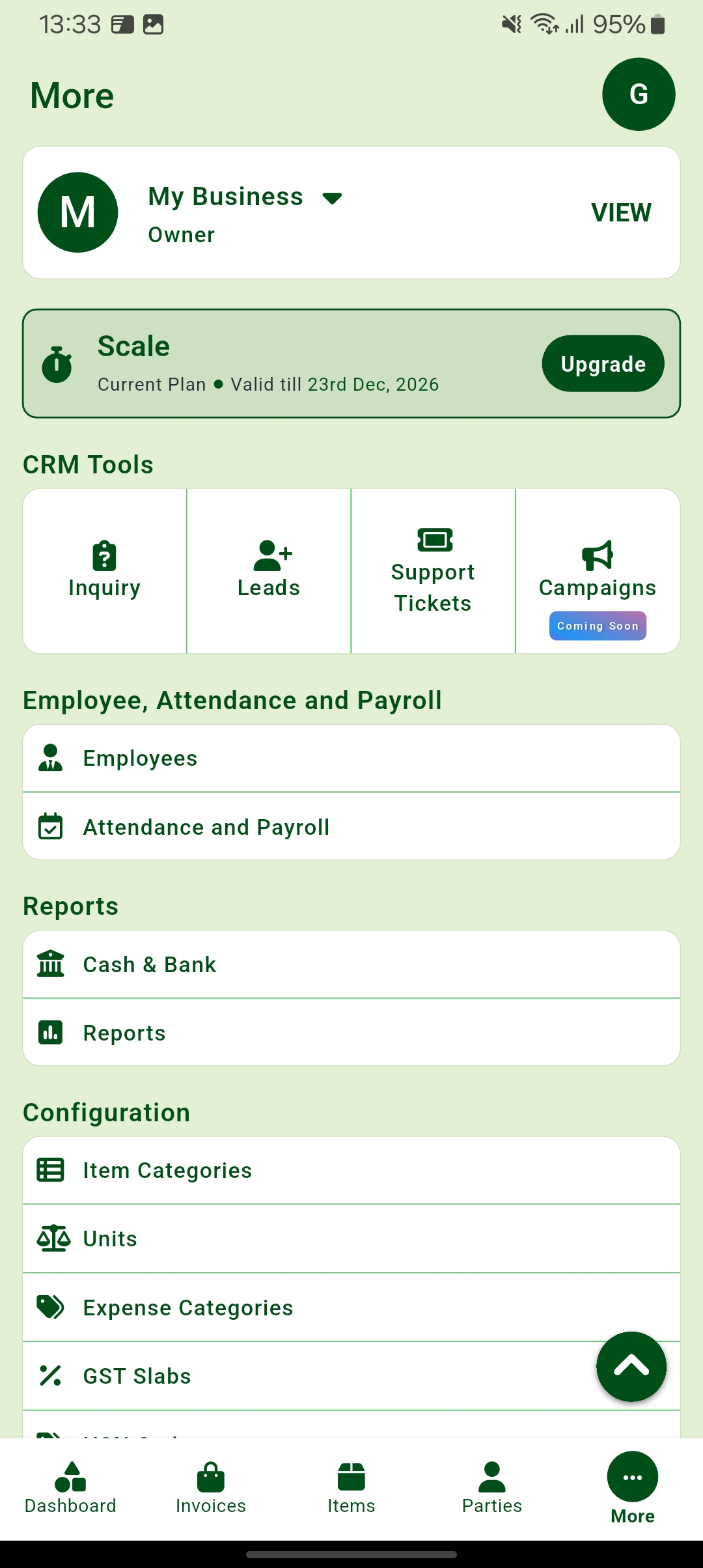
Go to the "More" tab. Look for the section at the top that shows your business name and tap the "VIEW" button next to it.
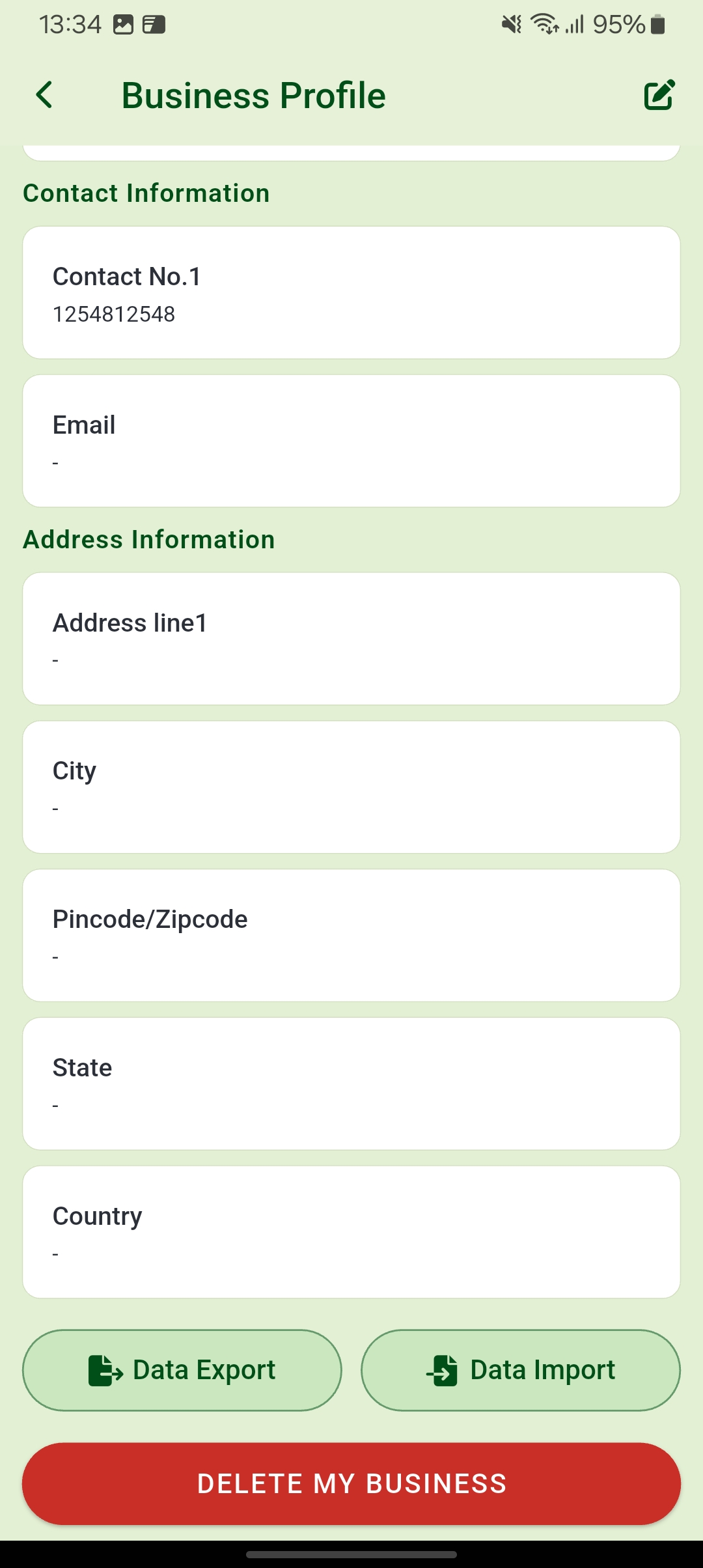
Once you are on the "Business Profile" screen, scroll all the way to the bottom. Tap the red button labeled "DELETE MY BUSINESS".
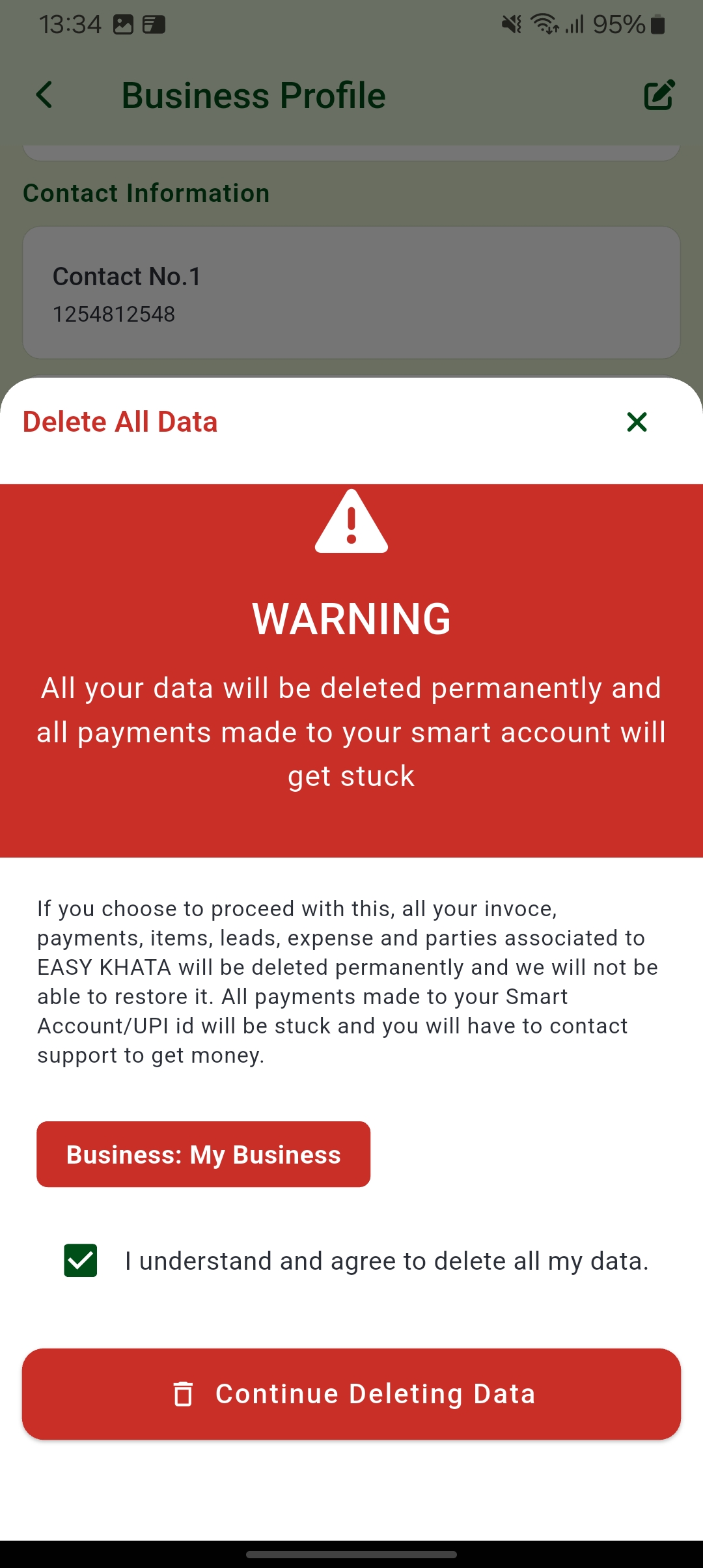
Read the warning and check the agreement box. Tap "Continue Deleting Data" to permanently remove your account and information.
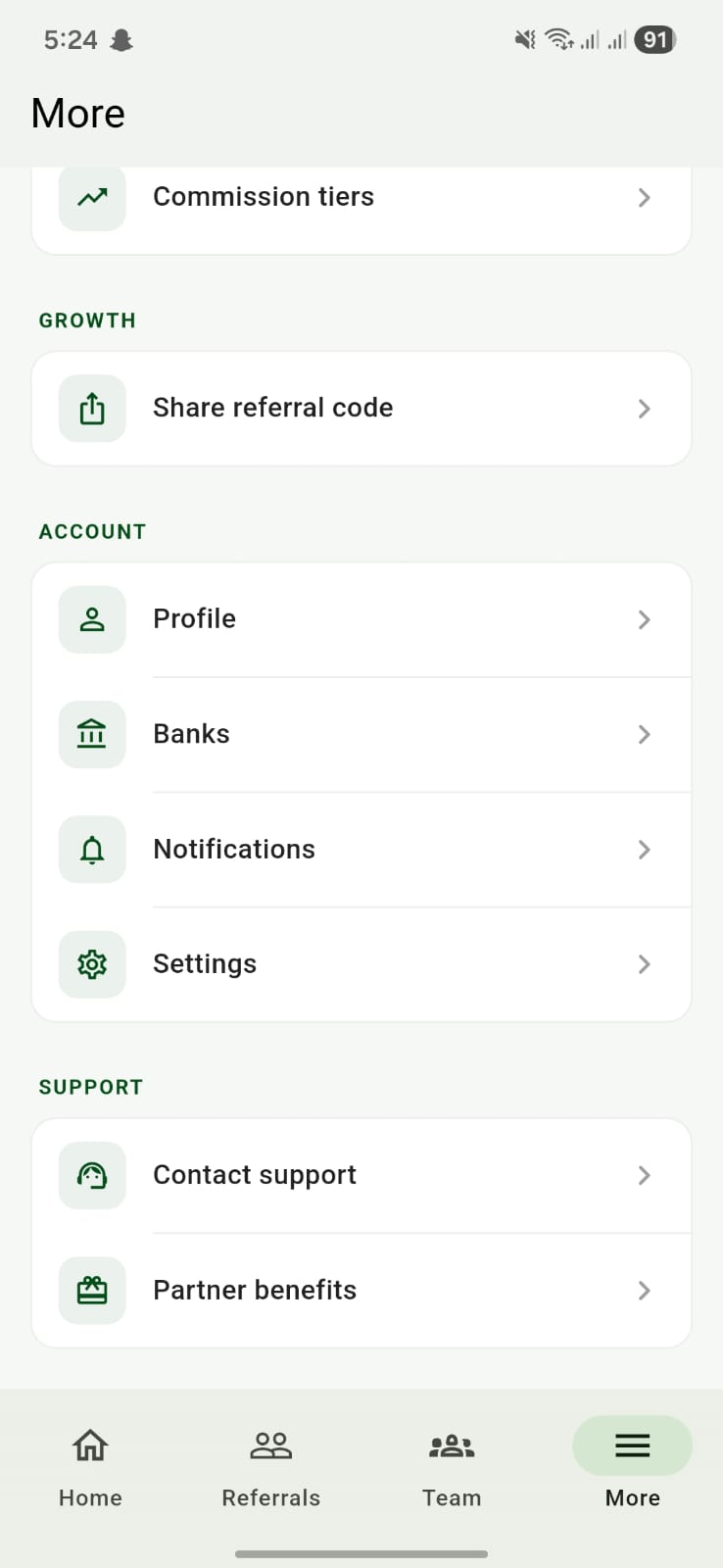
Follow these simple steps inside the Easy Khata Partner app to delete your account.
On the "More" screen, tap on Settings listed under the ACCOUNT section to open your account preferences.
Scroll down through the Settings menu and tap the red Delete account option to begin the removal process.
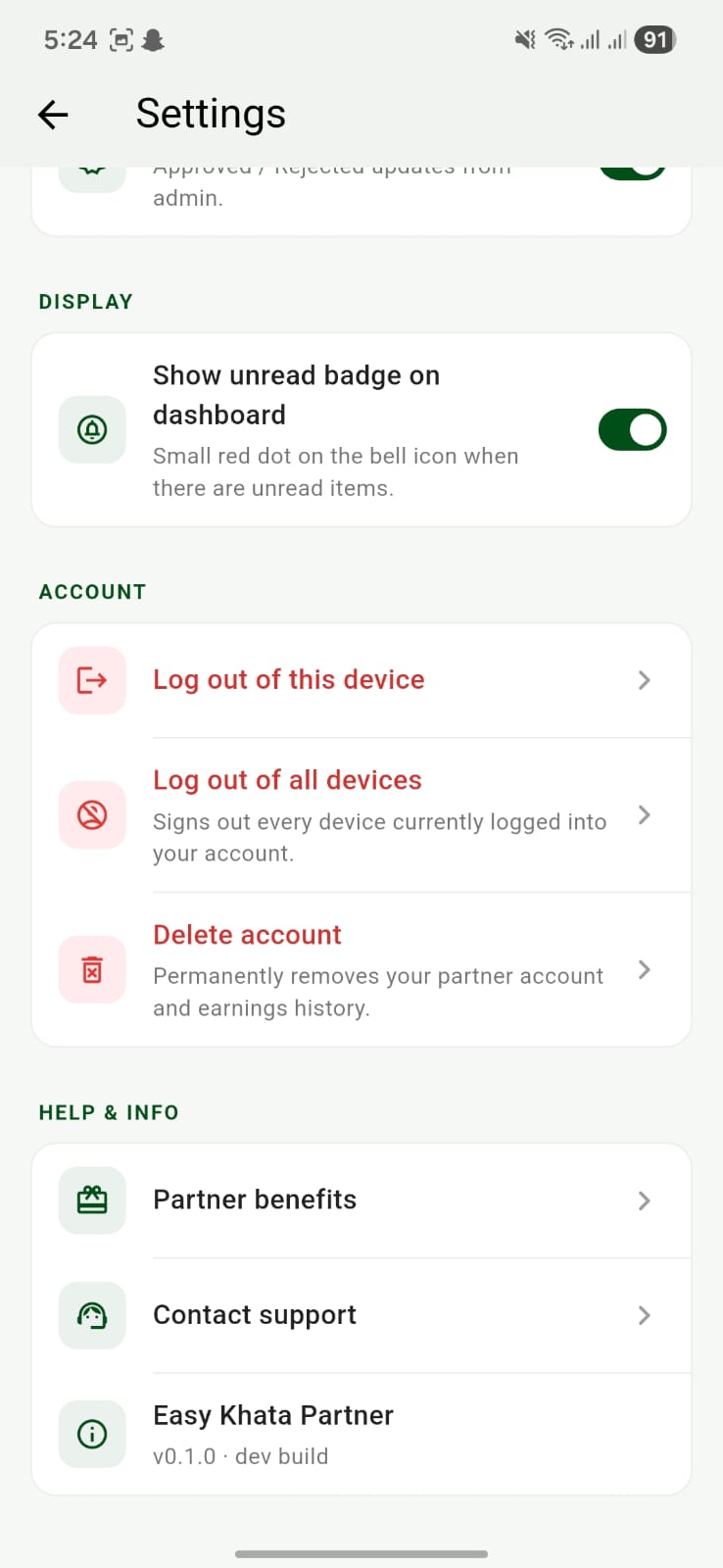
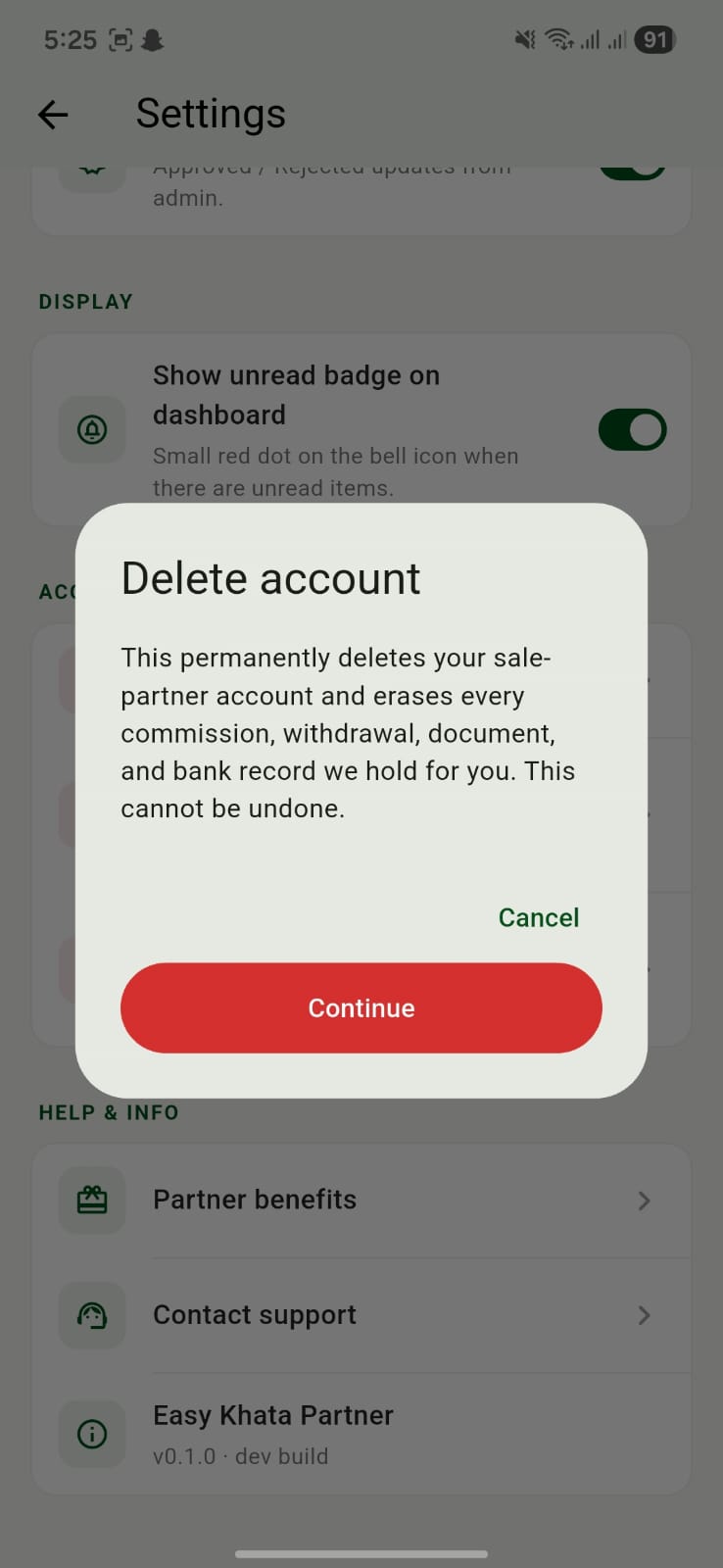
A "Delete account" pop-up will warn you about permanent data loss. Tap the red Continue button to proceed.
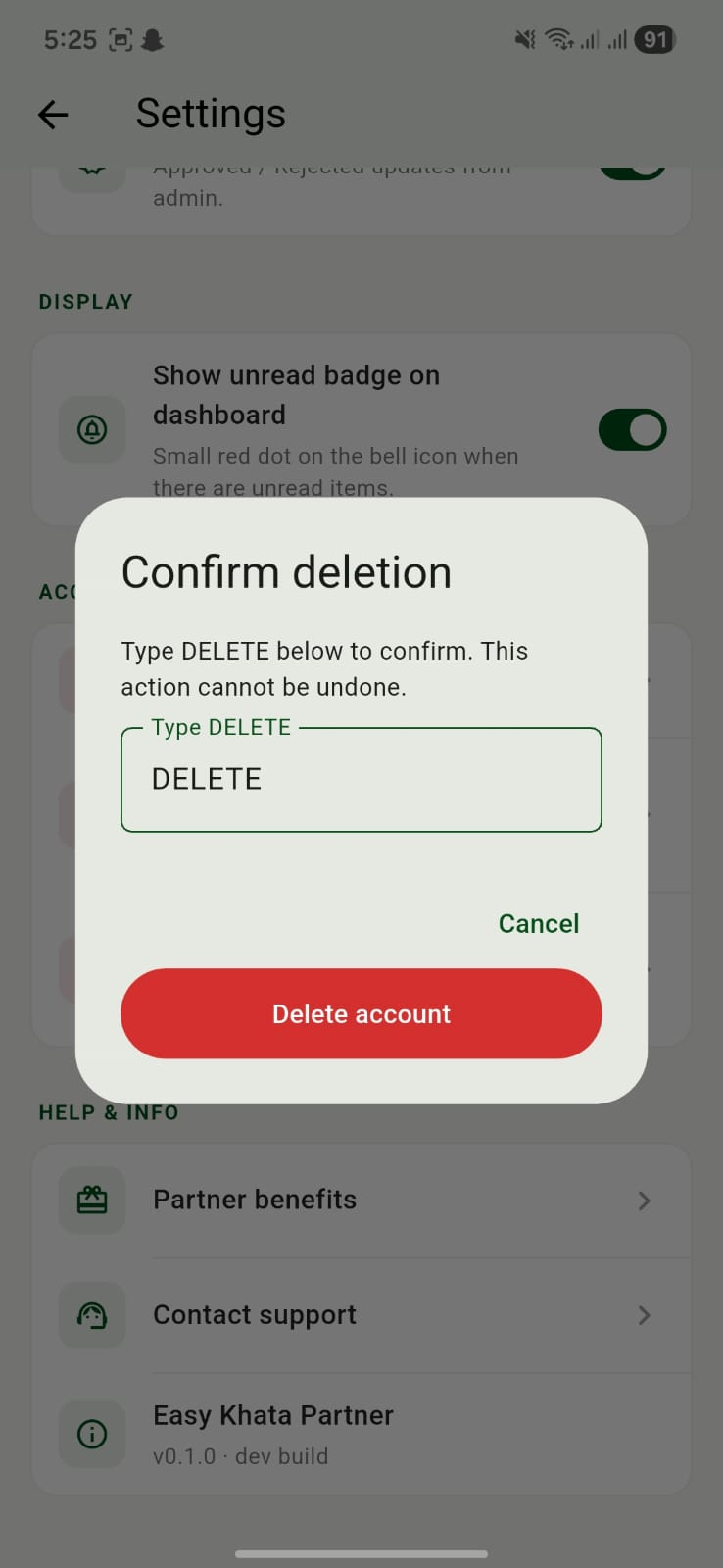
In the "Confirm deletion" pop-up, type DELETE in the text field and tap the red Delete account button to finalize.
If you have questions or concerns about this Policy, please reach out to our support team at contact@easykhata.app.
